
Welcome to our look at Mated.gg in 2026. If you're just getting serious about chess and want to understand why you're losing games, this tool deserves a look — not least because the entire thing is free, with no account required to review a game.
What this review covers. We'll walk through the core features, compare it with the analysis tools most beginners already know, and map out what a new player can actually learn from it. You'll get a feel for the speed, the clarity of the explanations, and where its limits are.
Who Mated.gg is for. If you're starting out, you want three things after a game: to know the moment it went wrong, to understand why in words you can follow, and to practice not doing it again. That's the loop Mated.gg is built around. If you want deep engine lines, databases, and configurable analysis, this isn't that tool — and it doesn't pretend to be.
Checkout the tool: If you want a chess coach explains why you lost: move by move sign up for free at mated.gg.
Table of Contents
What Mated.gg Does: Core Features for Beginners
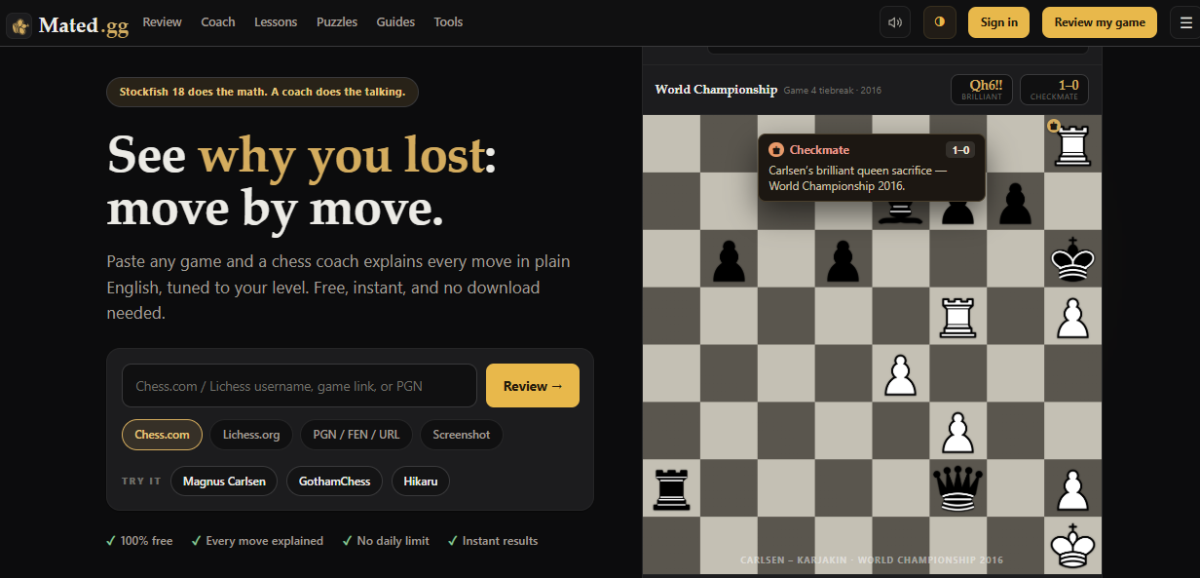
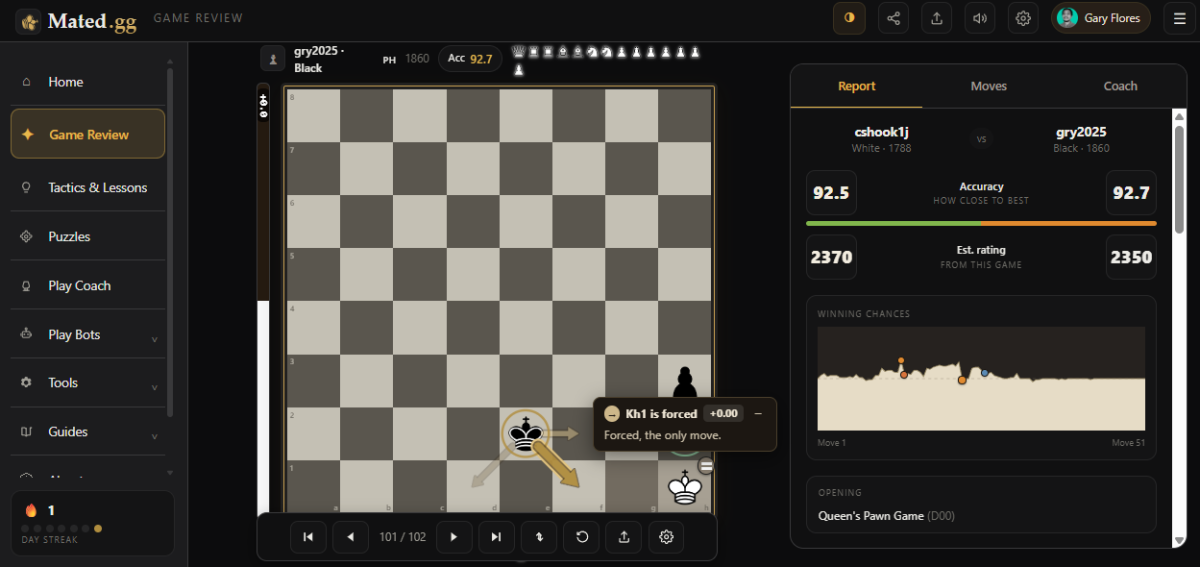
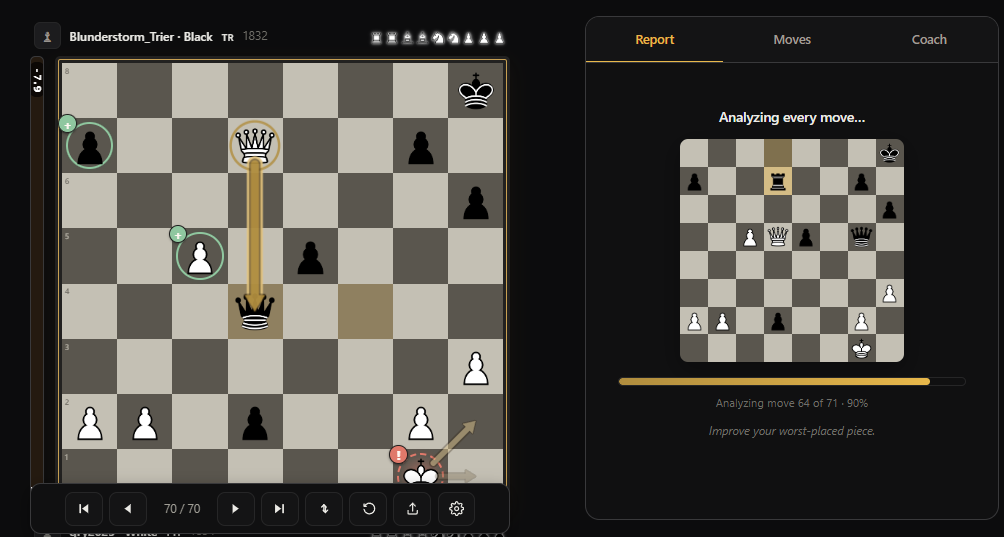
Game review in plain English. Paste in a game and Mated.gg runs it through Stockfish — the same engine the big platforms use — then translates the result into things a beginner can use: every move graded from Brilliant down to Blunder with badges right on the board, an accuracy score, an estimated rating for how you played that game, and a list of the critical moments where the result actually changed. The centerpiece is a written story of the game: what your opening was doing, where the game turned and why, and one concrete takeaway to work on.
Explanations that can't make things up. A detail that matters more than it sounds: the explanations aren't written by an AI chatbot. They're generated directly from what the engine found — the hanging piece, the fork, the pawn that should have pushed — so the coach never invents a threat that isn't on the board. With AI-explainer tools, hallucinated analysis is a real problem for beginners who can't yet tell when the explanation is wrong.
Import from anywhere — including a screenshot. You can pull games in by chess.com or Lichess username, paste a game URL or PGN, set up a position in the editor — or upload a screenshot of a board, which Mated.gg reads and turns into an analyzable position. That last one is genuinely rare and very handy for puzzles from books or positions from videos. Going the other way, the review's export panel gives you the game as PGN and any position as FEN, and every imported game gets its own shareable link — your games and finished reviews are also saved automatically, so they're waiting when you come back.
Practice built from your own games. The "Fix your mistakes" trainer takes the blunders from your reviewed game and turns them into drills — you replay your own critical positions until you find the right move. There's also Play Coach, where you play against the computer with a coach in your corner: it warns you about what's coming and explains the position live, with difficulty that scales from absolute beginner upward, plus a ladder of 27 personality bots when you want a straight game. Hints are on-demand by design — the best move stays hidden until you ask for it, so you think first and check second.
Position tools for quick questions. Alongside full reviews there's an analysis board, a board editor, and a Best Move tool that shows the engine's top three choices for any position at the default level (more lines as you raise your level setting) — useful when you just want to compare candidate moves without running a whole review.
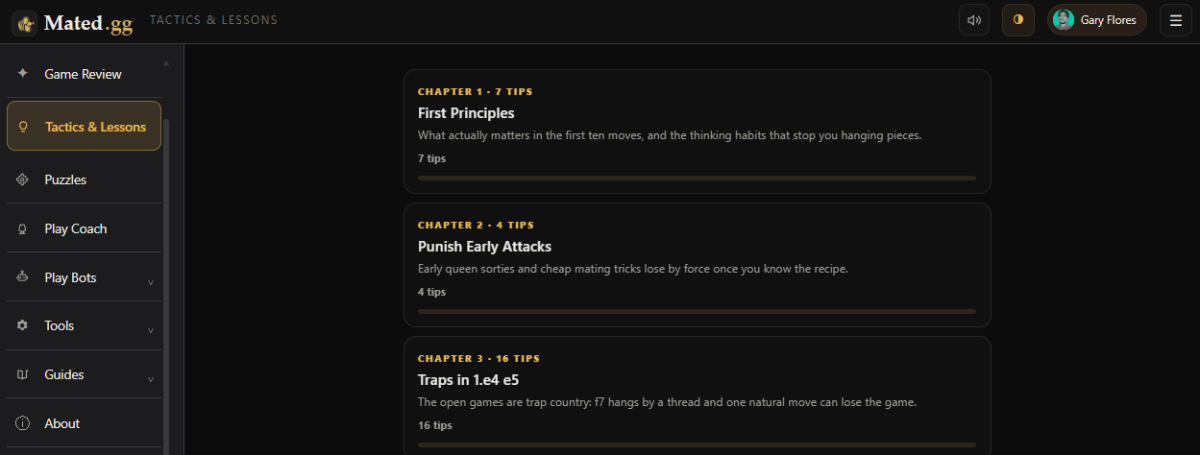
A free study library around it. Puzzles sorted by tactical motif, a 95-term chess glossary, opening guides, endgame how-tos, famous-game breakdowns, and a growing "Tactics & Lessons" compendium — 60+ short lessons organized into chapters at the time of writing — all free, all linked so a lesson can drop you onto the exact position to play out against the computer.
How Mated.gg Stacks Up Next to Competitors
Compared to Chess.com Game Review. Chess.com's review is polished and sits inside the biggest chess ecosystem there is — but the full Game Review is limited on the free tier, and the coach commentary is built for its premium funnel. Mated.gg's reviews are free without a cap you'll realistically hit in normal use, and the explanations aim lower on the experience curve: fewer engine lines, more "here's what happened, in sentences." If you live on Chess.com and pay for Diamond, you may not need Mated.gg; if you don't pay, it fills exactly the gap the paywall leaves.
Compared to Lichess. Lichess is free forever and its analysis board is the best free engine interface in chess — but it's engine-first: you get the eval graph, the inaccuracy/mistake/blunder tags, and raw best lines, and it's on you to work out the story. Mated.gg trades that depth for narrative. A fair summary: Lichess for self-sufficient improvers who can read lines, Mated.gg for players who want the lines translated first.
Compared to Chessigma. Chessigma is the closest head-to-head competitor: free, unlimited Stockfish reviews with move grades, accuracy scores, and its own training modules. The core difference is what happens after the engine finishes. Chessigma presents the analysis — grades, centipawn losses, evaluation graphs — while Mated.gg writes you the story: a plain-English account of where the game turned and why, aimed at players who can't yet read engine output fluently. Chessigma's AI coach is a premium add-on; Mated.gg's coaching is free and rule-generated. If you want maximum engine data at zero cost, try both; if you want the data translated, that's Mated.gg's whole reason for existing.
Compared to AI analysis explainers (Chess Compass and similar). A newer category of tools uses AI chatbots to explain positions conversationally. The upside is flexibility — ask anything. The downside is trust: language models can confidently describe tactics that don't exist. Mated.gg's rule-generated explanations are narrower but verifiable — what it tells you is derived from the engine's actual output.
User Experience: Interface, Speed, and Usability
Navigation and review workflow. Load a game and the flow is linear in a good way: the review runs, then you step through the moves with the board, eval bar, and grade badges, and a coach popup explains each move as you go — similar to stepping through a chess.com review, without the upsell interruptions. The written game story sits alongside, and the critical moments are called out so you can jump straight to the turning points.
Speed. Analysis runs on Mated.gg's servers, so there's nothing to install and your device doesn't matter. A typical game takes around a minute to review. One honest note: anonymous free use has a cooldown between reviews — sign in (free) and the wait shrinks substantially.
Mobile vs. desktop. It's a responsive web app rather than a native app, and the whole workflow — import, review, trainer, play — works on a phone. On desktop the arrow keys step you through the moves; on mobile the move navigation docks to the bottom of the screen, which keeps one-thumb review comfortable. Longer study sessions are still nicer on a bigger screen, as with any analysis tool.
What a Beginner Can Learn: Practical Use Cases
Identifying blunders and missed chances. The review shows you the exact moment a game slipped — not just "you blundered on move 23," but what the better plan was and what your move allowed, in words. Beginners consistently misjudge which move lost the game; having the turning point named is worth more than any eval graph.
Understanding why a move is strong. Grades alone don't teach. The per-move explanations name the pattern — the fork, the pin, the piece left hanging, the file that opened — which is how patterns start sticking to your own games instead of staying trapped in puzzle sets.
Turning review into practice. This is the part most analysis tools skip. After the review, the trainer drills the exact positions you got wrong, and any critical position can be played out against the computer with the coach still talking. Review → drill → replay is a complete improvement loop inside one free tool.
Limitations and Potential Pitfalls for New Players
• No engine controls. You can't set depth or think time — the analysis is curated, not configurable (the Best Move tool's top-three lines are the deepest manual dig available). Advanced players will want Lichess or desktop Stockfish for long analysis sessions.
• PGN export is the bare game score. The export panel gives you PGN and FEN, but the coach's commentary lives on the site rather than inside the file — to show someone the full annotated review, send the game's shareable link.
• Template-based coaching has a ceiling. Because explanations are rule-generated rather than freeform, phrasing can repeat across games, and highly abstract positional themes get shallower treatment than tactical ones.
• The cooldown. Reviewing many games back-to-back anonymously will run into the rate limit; signing in is the fix.
• The standing caveat for all engine tools. Perfect engine moves aren't the same as understandable plans. Use the explanations to build your own reasons — if you can't say in one sentence why the better move is better, drill it before moving on.
Real-World Scenarios: Typical Games Analyzed
An opening that went wrong. Bring in a game where you grabbed a "free" pawn in the opening and got run over. The review flags the greedy capture as the turning point, shows what the developing move would have done instead, and the written story connects it to the rest of the game — the tempo you gave back, the king that never castled.
A missed middlegame tactic. In a game where you missed a knight fork, the review badges the moment, names the tactic, and the trainer then hands you that exact position until you find the fork yourself. That closed loop — miss it, see it named, then drill it — is the fastest pattern-builder in the tool.
Endgame conversion. Winning positions get lost in endgames constantly at beginner level. The review grades endgame moves like any others, and the endgame guides cover the standard technique (king activity, passed pawns, basic mates) with one-click practice positions against the computer.
Recommended Reading: If you want to learn more about how many openings you need to learn, read this article.
Frequently Asked Questions (FAQ)
What is Mated.gg best used for? Reviewing your own games right after you play them, with explanations in plain English and drills built from your mistakes. It's aimed at beginner and improving players.
Can I use it for free? Yes — everything on the site is free. There's no premium tier at all. An optional free sign-in shortens the wait between reviews.
Does it replace Stockfish? It is Stockfish underneath — the value added is the translation layer: grades, critical moments, and written explanations instead of raw lines.
How does it handle endgames? Endgame moves are graded in reviews like everything else, and the site's endgame guides come with practice positions you can play out against the computer.
Is it suitable for mobile? Yes — it's a responsive web app; the full review-and-practice workflow works on a phone.
Can I import PGN or export it? Both. Import PGN, chess.com/Lichess games, FEN, even screenshots; export any game as PGN (and any position as FEN) from the review's export panel. The coach's annotations stay on the site — share the game link to show someone the full review.
What about Chess.com or Lichess? Both are excellent and bigger. The honest split: Chess.com if you pay for premium, Lichess if you can read engine lines, Mated.gg if you want free reviews explained in plain language.
Wrapping Up
Starting out and drowning in eval graphs you can't read? Mated.gg's bet is that a beginner learns more from one named mistake and one drilled correction than from twenty engine lines — and the product is built end to end around that bet, at a price (free, no account) that removes every excuse.
Treat it as the review half of a balanced routine: pair it with regular puzzles and actual games, and let its trainer turn your own blunders into your tactics set.
• Best-in-class for free, plain-English game reviews and beginner practice loops
• Not the tool for deep engine work — pair with Lichess or desktop Stockfish as you advance
• The free-with-no-signup model makes it a zero-risk addition to any beginner's routine
Recommended Reading: If you want to learn best ways to study chess alone, read this article.